Free Government Tablet in Pennsylvania: 2026 Lifeline, EBT and Medicaid Options
Pennsylvania does not have a guaranteed statewide free tablet program. The safest path is to check Lifeline eligibility, then compare provider offers by ZIP code. SNAP/EBT, Medical Assistance, SSI, housing assistance, veterans benefits, or income proof may help you qualify, but tablet availability depends on provider rules, device stock, activation, shipping, and possible copays.
Quick answer
Eligible Pennsylvania residents may be able to find a free or discounted tablet through Lifeline-related provider offers, but the tablet is not guaranteed by the federal government. ACP ended on June 1, 2024. Lifeline is still active, but it mainly lowers the cost of phone or internet service. Any tablet offer must be checked with a participating provider serving your Pennsylvania ZIP code.
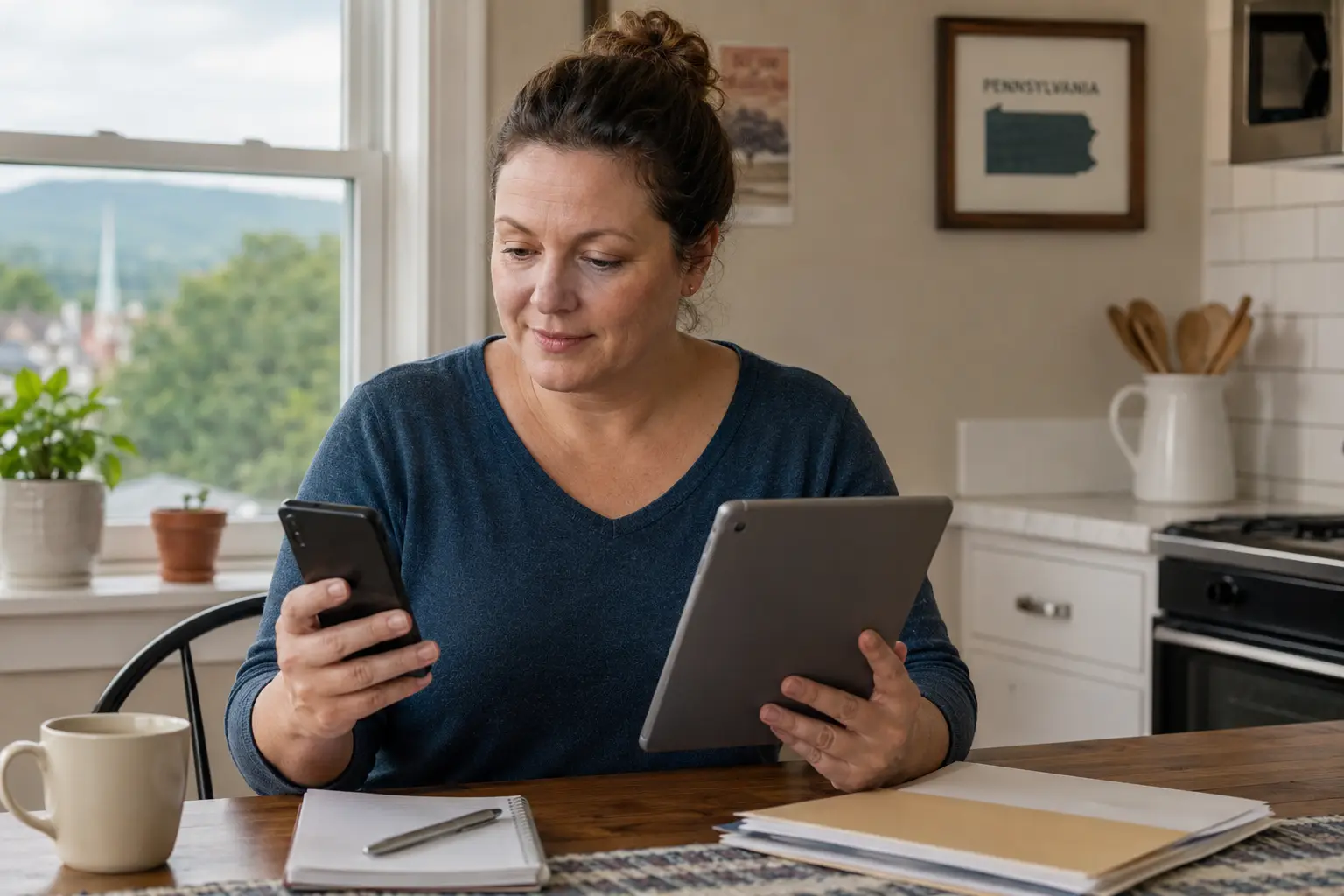
Use official eligibility tools and provider ZIP checks before trusting any tablet offer.
Quick Answer for Pennsylvania Residents
Best answer for Pennsylvania residents
The best way to check a free government tablet in Pennsylvania is to first confirm whether your household may qualify for Lifeline through a benefit such as SNAP, Medical Assistance, SSI, federal housing assistance, certain veterans benefits, or income. Then check providers by Pennsylvania ZIP code. If a provider has a tablet offer, read the terms carefully because the device may be refurbished, limited-stock, tied to service activation, or require a small payment.
In Pennsylvania, many people start with benefits they already use. A household receiving SNAP through a Pennsylvania EBT ACCESS Card, Medical Assistance through Pennsylvania DHS, or SSI may have an easier eligibility path. That does not mean the EBT card or Medicaid card itself gives out a tablet. It only may help prove eligibility when a Lifeline provider or the National Verifier asks for documents.
Free Tablet Apply is independent and informational only. We do not approve applications, issue tablets, collect EBT PINs, or represent the FCC, USAC, Pennsylvania DHS, or any wireless provider. Use this page to understand the safe path before you enter information anywhere online.
What “Free Government Tablet” Means in 2026
The phrase “free government tablet” can be confusing. In 2026, there is no guaranteed federal tablet giveaway that sends a device to every eligible Pennsylvania resident. Most real options are connected to phone or internet assistance, provider promotions, low-cost device programs, libraries, nonprofit reuse programs, or local digital access help.
ACP
The Affordable Connectivity Program helped with internet discounts and connected-device discounts while funded. It ended for now, and households stopped receiving ACP discounts after June 1, 2024.
Lifeline
Lifeline is still active. It helps eligible low-income households lower the monthly cost of phone or internet service. Lifeline itself is a service discount, not a guaranteed tablet shipment.
National Verifier
The National Verifier is the eligibility system used for Lifeline. It checks whether a person qualifies before a provider can enroll that household in Lifeline service.
Direct answer
For Pennsylvania, “free government tablet” usually means a possible provider tablet offer connected to Lifeline eligibility, not a tablet issued directly by Pennsylvania DHS or the federal government.
That distinction matters. A real provider may ask you to complete a Lifeline eligibility check, confirm your address, choose a plan, pay a valid device copay if required, and wait for shipping. A scam page may promise “instant approval,” ask for your EBT PIN, or claim it is the official government tablet office. Do not trust that wording.
Does Pennsylvania Have a Free Tablet Program?
At the time this page was prepared, there is no verified official Pennsylvania statewide program that guarantees a free tablet to every eligible resident. Pennsylvania residents may still have several safe routes to check: Lifeline provider offers, local libraries, community action agencies, assistive technology resources, device reuse programs, school or workforce programs, and local broadband/digital-access projects.
What this page can and cannot confirm
- We can explain how Pennsylvania residents may use SNAP, Medical Assistance, SSI, income proof, or other benefits to check eligibility.
- We can explain how Lifeline, the National Verifier, and provider ZIP-code checks work.
- We cannot confirm that a specific Pennsylvania ZIP code has a tablet in stock today.
- We cannot guarantee approval, shipping, device model, device condition, or a $0 cost.
- We do not collect Social Security numbers, EBT PINs, bank details, or benefit card numbers.
Pennsylvania has both dense metro areas and rural counties. A resident in Philadelphia, Pittsburgh, Allentown, Erie, Harrisburg, Reading, Scranton, or Lancaster may see different provider choices than a resident in a northern tier, central mountain, or Appalachian county. This is why ZIP-code checking is more reliable than a statewide provider list.
Main Ways Pennsylvania Residents May Qualify
Most tablet-related offers begin with eligibility. In Pennsylvania, the strongest proof is usually an official benefit letter, approval notice, current account screen, or other document that clearly shows your name, program name, and active status.
| Eligibility route | Pennsylvania meaning | How it may help with a tablet offer |
|---|---|---|
| SNAP / EBT | SNAP benefits are handled through Pennsylvania DHS and accessed with a Pennsylvania EBT ACCESS Card. | SNAP may help prove Lifeline eligibility or provider-program eligibility, but it does not guarantee a tablet. |
| Medicaid / Medical Assistance | Pennsylvania calls Medicaid “Medical Assistance.” Many recipients use HealthChoices managed care plans. | Medical Assistance may be accepted as proof for Lifeline eligibility checks. |
| SSI | Supplemental Security Income may qualify a household under federal Lifeline rules. | A current SSI benefit letter can help when automatic checks do not match. |
| Federal Public Housing Assistance | Some residents in HUD-assisted housing or Section 8 may qualify through housing assistance. | Useful for renters in Philadelphia, Pittsburgh, Harrisburg, Erie, and other housing-authority areas. |
| Veterans Pension or Survivors Benefit | Certain VA pension-related benefits may qualify under Lifeline rules. | Veterans should keep current award letters ready before applying. |
| Income-based eligibility | Households may qualify if income meets Lifeline limits. | Pay stubs, tax returns, unemployment documents, or benefit letters may be requested. |
Household rule definition: Lifeline is generally limited to one benefit per household. A household means people who live together and share income and expenses. Roommates who do not share money may need to complete a household worksheet if the system sees the same address.
EBT/SNAP Free Tablet Options in Pennsylvania
SNAP is one of the most common ways Pennsylvania residents search for tablet help. Pennsylvania residents often apply for or manage SNAP through COMPASS, the state’s benefits portal. Approved SNAP benefits are used through the Pennsylvania EBT ACCESS Card.
Can EBT get you a free tablet in Pennsylvania?
EBT can help prove that you receive SNAP, and SNAP may help you qualify for Lifeline or a provider tablet offer. EBT does not automatically give you a tablet, and you should never give your EBT PIN to a tablet website.
Before applying through any provider, make sure your proof is readable and current. A screenshot may be rejected if it does not show your name, the SNAP program, and active status. A better document is usually a benefit approval letter, renewal letter, or official notice from Pennsylvania DHS.
For more detailed EBT guidance, see our tablet with EBT guide. Use it as a preparation guide, then verify your Pennsylvania eligibility through official benefit and Lifeline sources.
Medicaid Free Tablet Options in Pennsylvania
In Pennsylvania, Medicaid is commonly called Medical Assistance. Some residents also recognize the term HealthChoices because HealthChoices is Pennsylvania’s managed care system for many Medical Assistance recipients.
Can Medical Assistance help with tablet eligibility?
Yes, Medical Assistance may help prove eligibility for Lifeline or provider-based tablet offers. It does not guarantee a tablet. A provider still has to serve your ZIP code, accept your proof, and have a device offer available.
If you use Medical Assistance, keep a current approval notice, eligibility screen, or managed-care letter ready. A medical card alone may not always show enough details for a provider or manual eligibility review. The name and address on your Medical Assistance proof should match the name and address used on the Lifeline or provider application.
One Pennsylvania-specific problem is address mismatch. People who recently moved between counties, use a rural route, receive mail at a family address, or have a different address in COMPASS may face extra verification. Fixing the address with the benefit agency first can prevent delays later.
Lifeline Tablet and Phone Options in Pennsylvania
Lifeline is the active federal program Pennsylvania residents should understand first. It can lower monthly phone or internet service costs for eligible households. Some providers may advertise a phone, tablet, or device bundle, but the provider controls those device terms.
Service is the core benefit
Lifeline mainly helps with phone or internet service. A provider may offer a device separately, but that device is not the same as the Lifeline monthly discount.
Provider rules decide device details
Tablet stock, shipping, activation, model, network, refurbished condition, and any copay are provider-specific. Always read the terms before applying.
Use our Lifeline phone and tablet guide to understand the service-versus-device difference. You can also review main provider options, but do not assume every provider serves every Pennsylvania ZIP code.
For device expectations, most offers are basic Android tablets or limited-stock refurbished devices. Premium models are not guaranteed. If you want a realistic device overview, read our government Android tablet guide.
Documents You May Need
Documents matter because automatic checks do not always work. Pennsylvania residents may need proof from COMPASS, Pennsylvania DHS, a County Assistance Office, Social Security, HUD housing, VA, payroll records, or tax records.
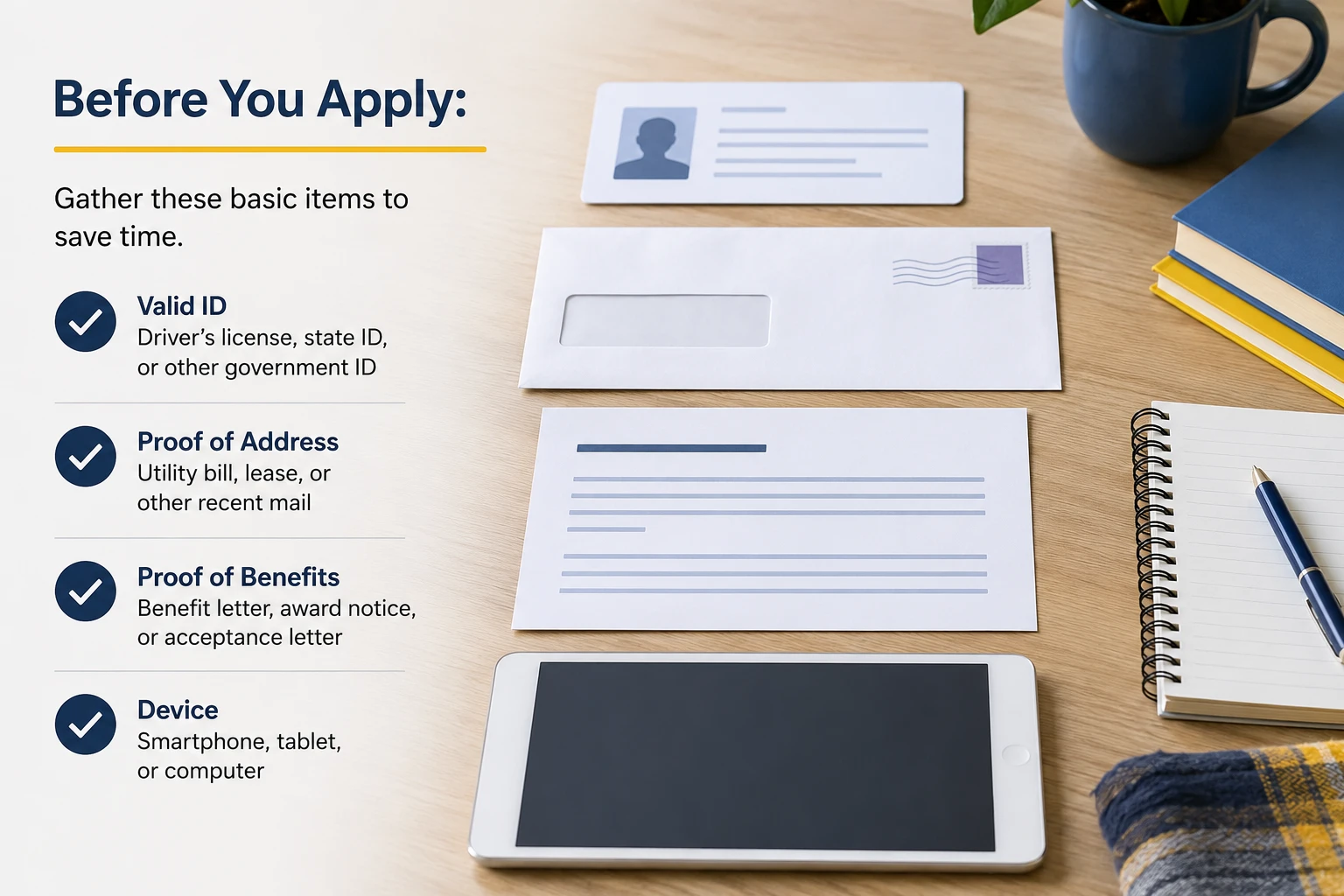
Prepare clean copies before applying. Never upload a document that shows an EBT PIN, full bank details, or unrelated private information.
| Document type | Good Pennsylvania example | Common problem |
|---|---|---|
| Identity | State ID, driver’s license, passport, or other accepted ID. | Name mismatch, expired ID, or blurry photo. |
| Address | Lease, utility bill, official mail, benefit notice, or another accepted proof. | Rural route, P.O. box, shelter address, or moved-between-counties record mismatch. |
| SNAP/EBT proof | Current Pennsylvania DHS SNAP approval or renewal notice. | Photo of EBT card only may not prove active SNAP status. |
| Medical Assistance proof | Current Medical Assistance or HealthChoices eligibility notice. | Card or screenshot does not show active program status. |
| Income proof | Pay stubs, tax return, unemployment statement, pension letter, or benefit statement. | Income period not clear or household size missing. |
| Household worksheet | May be needed if another Lifeline subscriber appears at the same address. | Roommates or multi-family housing confuse the one-per-household rule. |
For a deeper list of accepted proof types, use our government tablet documents guide before submitting anything.
Step-by-Step Application Path
- Confirm your eligibility route. Decide whether you will use SNAP, Medical Assistance, SSI, housing assistance, veterans benefits, or income proof.
- Check that your Pennsylvania records match. Your name, date of birth, and address should match your benefit documents and application.
- Use the National Verifier or a provider’s eligibility flow. If automatic checks fail, prepare documents for manual review.
- Search providers by ZIP code. Do not rely on a statewide claim. Pennsylvania coverage can change by county, city, network, and stock.
- Read the device terms. Look for activation fees, shipping costs, copays, refurbished condition, return rules, and service requirements.
- Submit only necessary documents. Do not send your EBT PIN, banking password, full medical records, or unrelated private information.
- Save confirmation details. Keep screenshots or emails showing the provider name, application date, and terms you accepted.
For a broader walkthrough, use our how to apply guide. This Pennsylvania page should help you adapt those steps to Pennsylvania benefit records and ZIP-code checks.
Provider Availability and ZIP Code Checks
Provider availability in Pennsylvania is not the same in every area. Philadelphia and the Delaware Valley may show different options than Pittsburgh and Allegheny County. Erie, Scranton/Wilkes-Barre, Altoona, State College, Williamsport, Lancaster, York, Reading, and the Lehigh Valley may also vary. Rural northern tier and central mountain counties can face fewer device choices or weaker mobile coverage.
Why your Pennsylvania ZIP code matters
Your ZIP code tells a provider whether it serves your area, which network may be available, whether Lifeline service can be offered, and whether a device promotion is open for that location.
Use our government tablet near me guide to understand ZIP checks. If a provider page shows a tablet but your ZIP code does not qualify, do not assume the offer is still available to you.
Some Pennsylvania residents near state borders may see confusing results. A person near New Jersey, Delaware, Maryland, West Virginia, Ohio, or New York may live close to a provider’s advertised service area but still fail the ZIP-code check. Use the address where you live and receive service.
What To Do If No Tablet Offer Is Available
If no tablet offer appears for your Pennsylvania ZIP code, you still have practical options. The best alternative depends on whether you need internet access, a device, basic digital skills, school access, telehealth, or disability-related technology.
Choose Lifeline service first
If a tablet is unavailable, a Lifeline phone or service discount may still help you stay connected for calls, job searches, benefit updates, and telehealth.
Use public library access
Pennsylvania libraries often provide computers, internet access, digital resources, and research help. POWER Library can also help with online learning and information access.
Check reuse or assistive technology
TechOWL and assistive technology resources may help Pennsylvanians with disabilities try or locate helpful devices, depending on need and availability.
Community Action Agencies can also help with local benefit navigation. They may not give tablets directly, but they often understand local food, housing, utility, workforce, and digital-access support. Pennsylvania’s county-based support network is especially helpful for people outside major metro areas.
Special Groups in Pennsylvania
Seniors
Pennsylvania seniors may qualify through SNAP, Medical Assistance, SSI, income, or housing assistance. Seniors should be careful with online forms that ask for too much information or promise a premium tablet without explaining Lifeline service terms. Our tablet help for seniors guide explains common senior-friendly device and document issues.
Veterans
Some veterans or survivors may qualify through eligible VA pension-related benefits or income. A current VA benefit letter is more useful than a general veteran ID when the application asks for eligibility proof. See our government tablet for veterans guide for preparation tips.
Families using EBT or Medical Assistance
Families in Pennsylvania may already manage benefits through COMPASS or a County Assistance Office. Keep notices organized because a provider may reject a screenshot that does not show the active program clearly. If several adults live at one address, check the household rule before applying.
Rural residents
Rural residents in northern, central, and Appalachian Pennsylvania may face weaker wireless coverage or fewer provider choices. A tablet offer is not useful if the service does not work where you live. Check coverage, network type, return terms, and whether the device needs Wi-Fi or mobile data.
Students and adult learners
Students and adult learners should check school, library, workforce, and community programs in addition to Lifeline. Some local programs focus on digital skills, job applications, GED preparation, or online training rather than free device giveaways.
Scam Warnings for Pennsylvania Residents
Pennsylvania residents should be extra careful with tablet pages that mix real benefit names with fake promises. A real eligibility check should never ask for your EBT PIN, bank password, or full medical record.
Warning signs
- “Guaranteed free tablet today” with no provider terms.
- Requests for your Pennsylvania EBT PIN or card PIN.
- Fake “government approval” badges or approval stamps.
- Pressure to pay with gift cards, cash apps, or unusual payment links.
- Claims that ACP is still giving new monthly discounts in 2026.
- Texts saying your EBT card is deactivated and asking you to call an unknown number.
- Forms that ask for unrelated private data before showing provider terms.
Pennsylvania DHS has warned residents about benefit scams and EBT card issues. For tablet searches, the same rule applies: protect your PIN, check official sources, and avoid any site that tries to sound like the government while hiding the provider name and terms.
Helpful Checklist Before You Apply
- Confirm whether you are using SNAP, Medical Assistance, SSI, housing assistance, veterans benefits, or income proof.
- Make sure your Pennsylvania benefit document shows your name, program, and current status.
- Check that your address matches your benefit record and application.
- Search by your actual Pennsylvania ZIP code.
- Read tablet terms before submitting payment or documents.
- Expect a basic Android or refurbished device unless the provider clearly says otherwise.
- Do not enter your EBT PIN, banking password, or unrelated private information.
- Save application confirmation emails or screenshots.
- Check local library, TechOWL, community action, or workforce resources if no provider tablet is available.
FAQs About Free Tablets in Pennsylvania
Does Pennsylvania have an official free government tablet program?
No verified statewide Pennsylvania program guarantees a free tablet to every eligible resident. Pennsylvania residents may check Lifeline-related provider offers, local digital-access resources, libraries, assistive technology programs, and community support options.
Can I get a free tablet with EBT in Pennsylvania?
EBT may help you prove SNAP participation, and SNAP may help you qualify for Lifeline or a provider tablet offer. The Pennsylvania EBT ACCESS Card does not automatically give you a tablet, and you should never share your EBT PIN.
Can Medical Assistance help me qualify for a tablet in Pennsylvania?
Medical Assistance may help prove eligibility for Lifeline or provider-based offers. You still need to pass the eligibility check, live in a served ZIP code, and meet the provider’s device terms.
Is ACP still available for Pennsylvania households?
No. ACP ended for now, and households stopped receiving ACP discounts after June 1, 2024. Pennsylvania residents should not trust pages that claim ACP is still approving new monthly discounts in 2026.
What is the safest first step for a Pennsylvania resident?
The safest first step is to identify your eligibility proof, then check Lifeline eligibility and provider availability by ZIP code. Do not start with a page that promises a guaranteed tablet before explaining provider terms.
Why did my Pennsylvania ZIP code show no tablet offer?
Provider availability can vary by ZIP code, network, device stock, and promotion rules. Rural counties, border areas, and smaller towns may see fewer options than large metro areas.
What documents are best for SNAP or Medicaid proof?
A current Pennsylvania DHS approval or renewal notice is usually stronger than a photo of a benefit card. The document should show your name, the program name, and active status.
Can Pennsylvania seniors qualify for tablet help?
Yes, some seniors may qualify through SNAP, Medical Assistance, SSI, income, or housing assistance. Seniors should also check libraries, community programs, and safe low-cost device options if no provider tablet is available.
Are the tablets new or refurbished?
Tablet condition depends on the provider. Some offers may involve refurbished, basic Android, or limited-stock devices. A provider should clearly explain any cost, shipping, activation, and return terms.
What if the National Verifier cannot confirm my Pennsylvania eligibility?
You may need to upload documents for manual review. Check for name, date of birth, address, and program-status mismatches before resubmitting. If your address changed, update benefit records first.
Where can I get digital access if I do not get a tablet?
Try Pennsylvania public libraries, POWER Library resources, TechOWL or assistive technology programs if disability-related, community action agencies, workforce centers, schools, and local nonprofit device-reuse programs.
Final Helpful Summary
Safe Pennsylvania recap
There is no guaranteed government tablet for every Pennsylvania resident. The safest route is to check Lifeline eligibility, use SNAP/EBT or Medical Assistance only as proof when accepted, compare providers by ZIP code, and read all device terms before applying. If no tablet offer is available, check Lifeline service, public libraries, TechOWL, community action agencies, and local digital-access resources.
Use Free Tablet Apply as an independent preparation resource, not as an approval agency. Start with official eligibility tools, protect your benefit information, and treat any “instant free tablet” promise with caution.
External Resources
Source transparency: The links below are official or trusted resources readers can use to verify Lifeline eligibility, ACP status, Pennsylvania benefit records, provider availability, digital access, assistive technology, community help, and scam warnings. External links are grouped here only so the article stays clear and easy to review.
| Resource | Why it matters | Official link |
|---|---|---|
| FCC ACP page | Confirms ACP status and end-of-discount information. | FCC Affordable Connectivity Program |
| FCC Lifeline page | Explains Lifeline as the active federal phone/internet affordability program. | FCC Lifeline for Consumers |
| Lifeline Support | Official consumer-facing Lifeline application and recertification resource. | LifelineSupport.org |
| USAC National Verifier | Explains how eligibility is checked for Lifeline. | USAC National Verifier |
| USAC Companies Near Me | Lets Pennsylvania residents search Lifeline providers by ZIP code. | Companies Near Me |
| Pennsylvania COMPASS | State benefits portal for many Pennsylvania health and human service programs. | COMPASS |
| PA DHS SNAP | Official Pennsylvania SNAP information. | Pennsylvania SNAP |
| PA EBT ACCESS Card | Official Pennsylvania EBT card information. | Electronic Benefits Transfer |
| PA Medicaid / Medical Assistance | Official Pennsylvania Medicaid and Medical Assistance information. | Pennsylvania Medicaid |
| PA Broadband Development Authority | State broadband and BEAD program information. | Pennsylvania BEAD Program |
| State Library of Pennsylvania | Library access and POWER Library information. | Library Access Services |
| POWER Library | Online Pennsylvania library resources and e-resources. | POWER Library |
| TechOWL | Pennsylvania assistive technology lending and reuse resource. | TechOWL Pennsylvania |
| PA CSBG agency list | Community Action Agency lookup for county-based help. | Pennsylvania CSBG Agency List |
| PA DHS scam alerts | Official scam and benefits-fraud warnings. | PA DHS Scam & Fraud Alerts |